Excel template · $6
Your whole year of money, in one file
Type what comes in and what you spend. Your charts, your balance and your savings rate calculate themselves. No formulas, no apps, no subscriptions.
What's inside
Real screenshots of the file
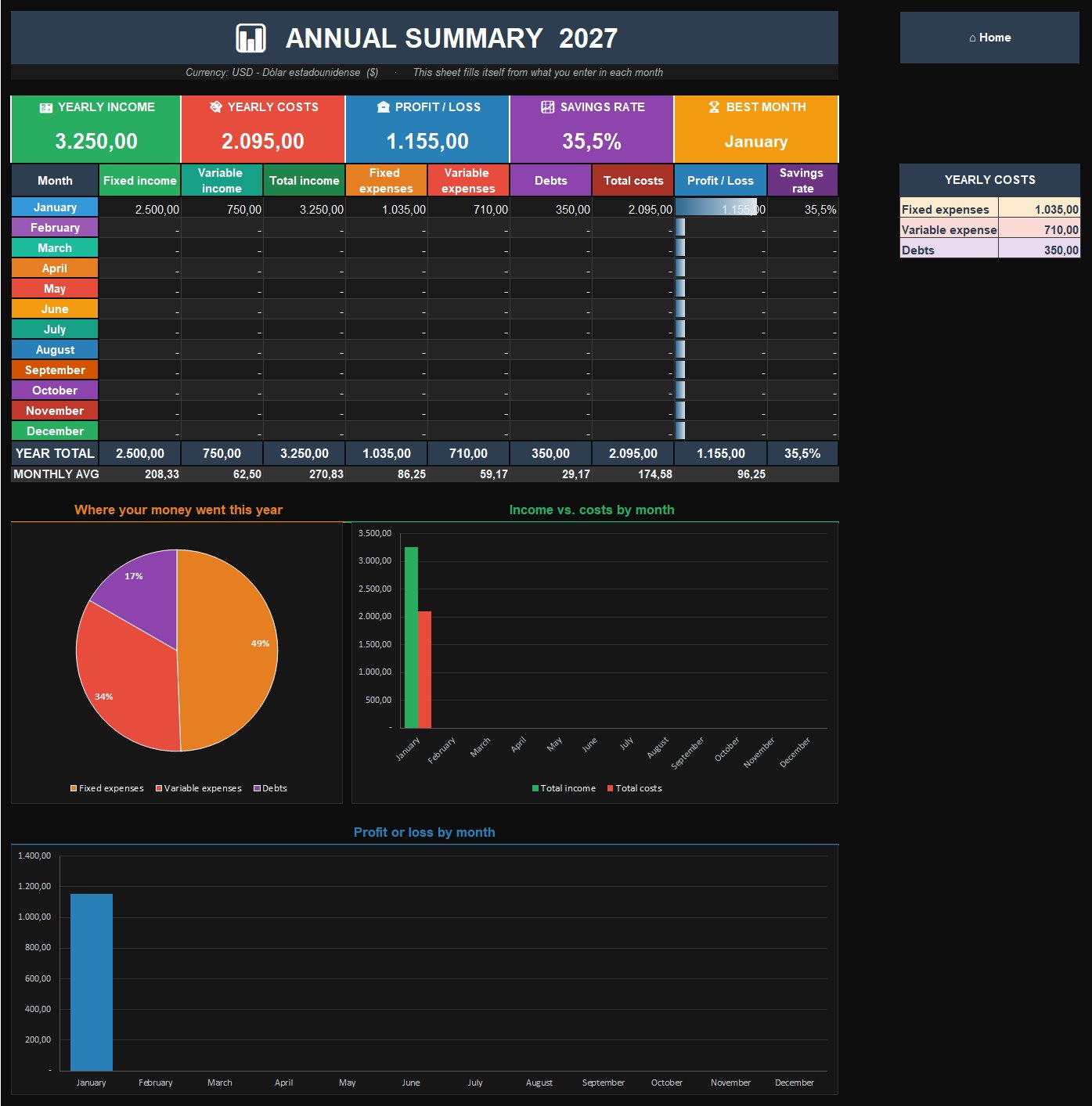
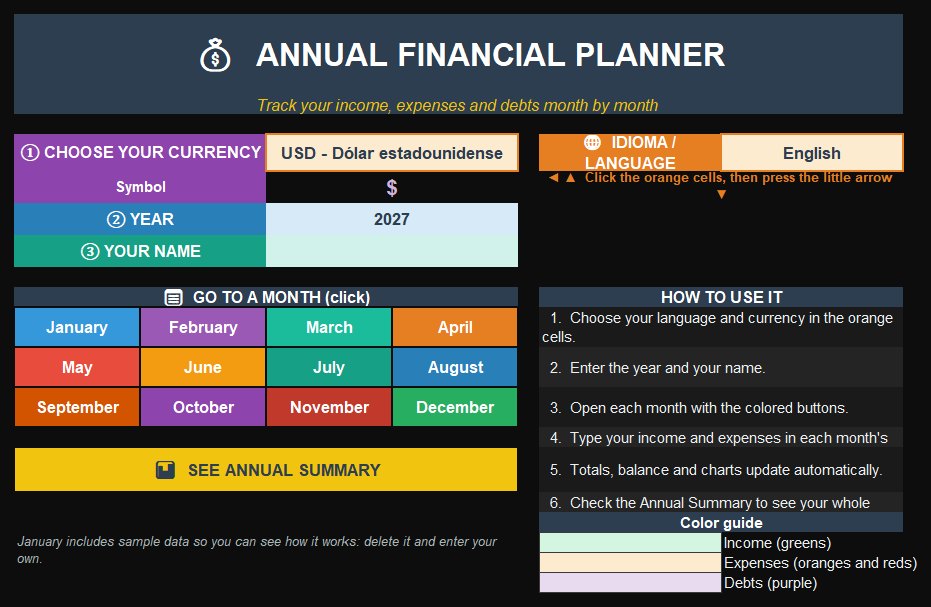
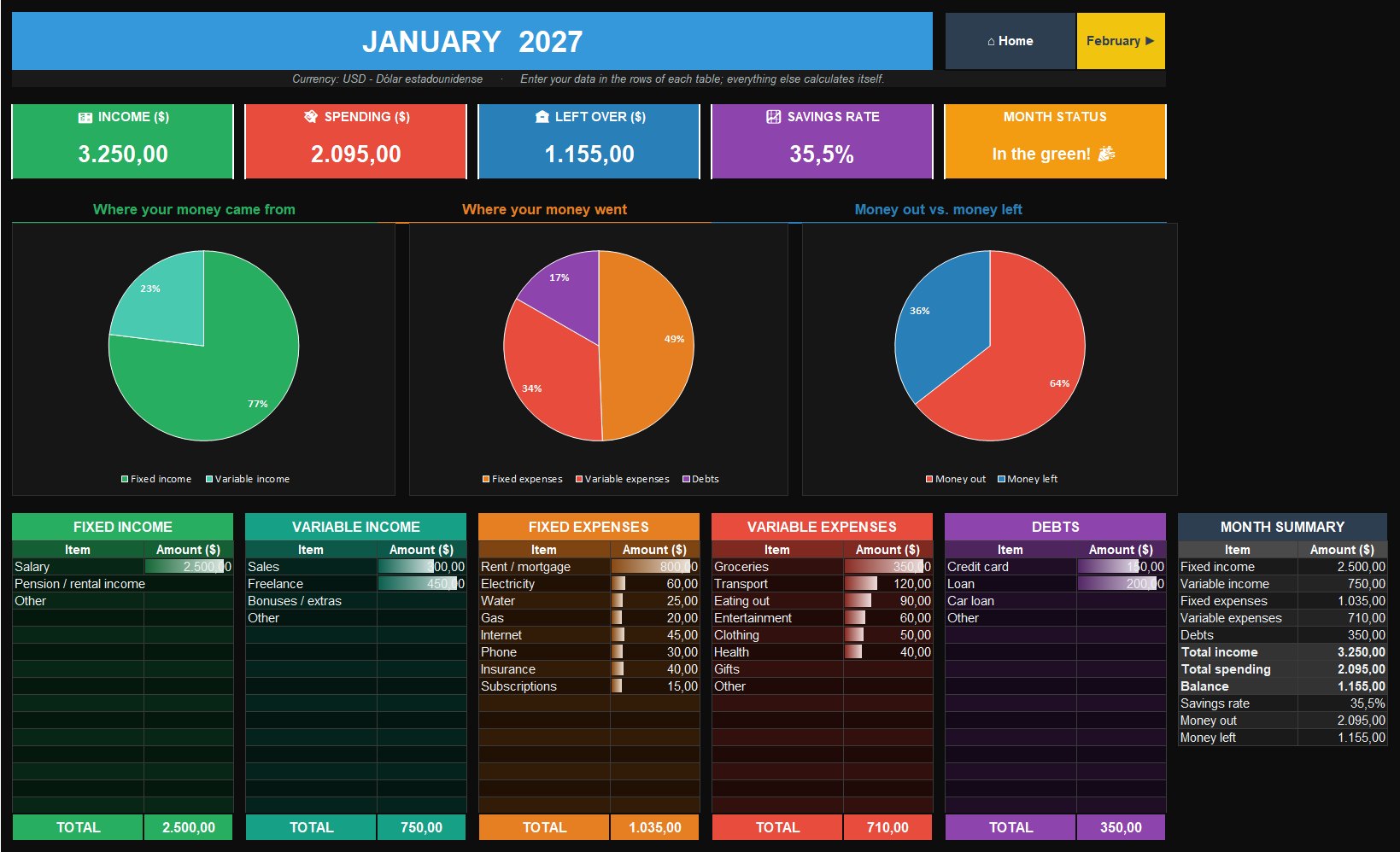
Tap a screenshot to see it full size. January comes with sample data.
What it does for you
You type. It does the math.
“Where did your money come from?”, “Where did it go?” and “How much is left?”, without touching a formula.
At the end of the month it tells you whether you finished in the green or overspent.
What you earned and spent in the year, your averages and your best month.
Dollar, euro, peso, pound, real… pick yours and everything adjusts.
Switch the language of the whole file with a single cell.
The formulas are protected: you only type in the light cells.
How to use it
Four steps and you're set
- Open it in ExcelOn your computer or your phone.
- Pick your currency and languageThen type the year and your name on the Home sheet.
- Type what comes in and what goes outSalary, rent, groceries, delivery, subscriptions… each in its own table.
- See how you're doingThe cards, the charts and the balance update by themselves.
Free
Try it free with January
The trial version has the full January sheet so you can see how it works. If you like it, the full version has all 12 months and the Annual Summary.
Download the free trialIt opens in Spanish: switch it to English in the orange LANGUAGE cell on the first sheet.
Full version
$6
One-time payment. It's yours for as many years as you want.
- All 12 months, January to December
- Annual Summary with charts
- 50 currencies to choose from
- English and Spanish in the same file
- Instructions in your email
The payment was cancelled. You were not charged; you can try again.
Secure payment with Payphone (its checkout page is in Spanish). Your card never touches this page. The planner is sent to that email.
Questions
Frequently asked
Do I need to know Excel?
No. You only type in the light cells; everything else is calculated for you.
Does it work on my phone?
Yes, with the Excel app. It's more comfortable on a computer.
What about Google Sheets?
It opens and works, but Google Sheets doesn't keep the locks, so you could delete a formula by accident. That's why I recommend Excel.
Is it in English?
Yes. The file comes in English and Spanish: switch the language in the orange cell on the Home sheet.
Can I use it next year?
Yes, it's yours: change the year on the Home sheet and start fresh with a new copy.
When do I get it?
As soon as the payment is approved. If you don't see it in a few minutes, check spam or promotions.
Another question?
Message me at @matthewcodevc or use the contact form.